

Extracting Apple Game Boards with OCR
The Problem: We Needed Real Board Data
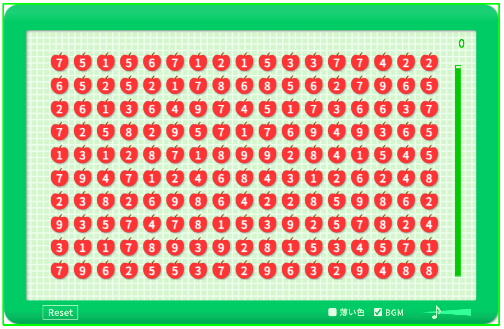
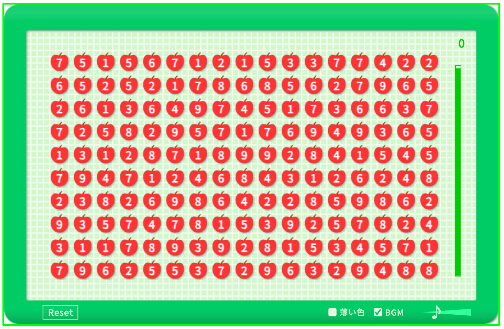
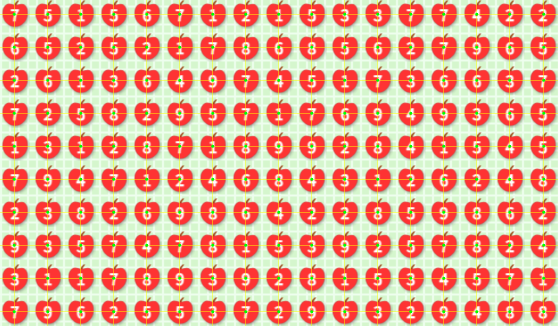
To study how Apple Game boards are generated, we first needed actual board data - lots of it. The game itself does not export the raw numbers that make up each board. There is no API to query, no save file to parse. All you get is what you see on screen: a grid of single-digit numbers inside a green frame.
That meant our only option was to extract the numbers directly from screenshots. And since a handful of boards would not be enough for any meaningful statistical analysis, we needed hundreds of them. Doing that by hand would've taken forever.
Why OCR Was the Only Way
Our research required a dataset of at least 500 boards. Each board is a 17 x 10 grid with 170 cells. Manually transcribing 170 digits from a screenshot might take several minutes per board, and for 500 boards that adds up to a lot of tedious, error-prone work.
An automated pipeline was the practical choice. With OCR, we could process a screenshot in under a second, and the entire 500-board dataset in a few minutes. A deterministic pipeline also produces consistent results - the same screenshot always yields the same output.
The Extraction Pipeline
The pipeline takes a raw screenshot and outputs an array of 170 integers (one per cell). It works in five stages:
- Frame detection. The Apple Game board sits inside a distinctive green border. We detect this border using color thresholding in HSV space, then find the largest contour to locate the board region within the screenshot.
- Board cropping. Once we know where the green frame is, we crop the image to just the board area, discarding the score display, background, and UI chrome.
- Grid alignment. The board is a 17 x 10 grid (17 columns, 10 rows). We divide the cropped region into 170 cells by computing row and column boundaries from the board dimensions.
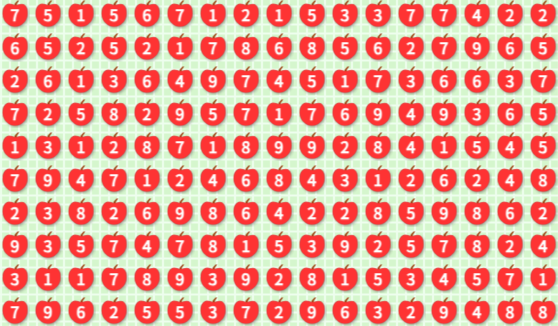
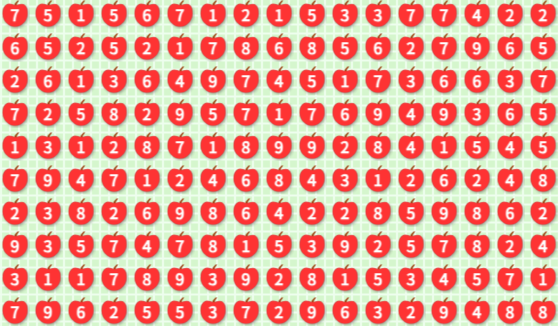
- Cell isolation. Each of the 170 cells is extracted as a separate sub-image. At this point, each image contains exactly one digit.
- OCR. Each cell image is preprocessed and fed to Tesseract for digit recognition.
Preprocessing: Making OCR Reliable
Raw cell images are not OCR-friendly out of the box. The digits sit on a colored background with varying contrast, and the cell images are small. Without preprocessing, Tesseract would frequently misread digits or return no result at all.
Each cell goes through a six-step preprocessing sequence:
- Margin cropping. A small margin is trimmed from all four edges to remove any remnants of the grid lines or neighboring cells.
- Grayscale conversion. The image is converted from RGB to single-channel grayscale, reducing noise and simplifying the input.
- Thresholding. We apply global thresholding with Otsu's method to automatically select a binarization threshold. This produces a clean black-and-white image where the digit separates from the background.
- Inversion. Tesseract expects dark text on a light background. Depending on the game's color scheme, we invert the image so the digit is always black on white.
- Padding and resizing. A uniform white border is added around the digit, and the image is scaled up to give Tesseract more pixels to work with. Small images are the most common cause of OCR failures.
- Tesseract with digit-only config. This was counterintuitive. We started with
--psm 10(single character mode), which seemed like the right choice since each cell contains exactly one digit. But in our pipeline, recognition with psm 10 was unreliable - some digits were consistently misread or returned empty. After trying several options, we found that--psm 6(assumes a uniform block of text) gave much more stable results on our data. We do not have a clear explanation for why psm 6 outperformed psm 10 in this case, but the difference was consistent across all 500 boards. We also restrict the character whitelist to digits 1-9 so Tesseract does not guess letters or special characters.
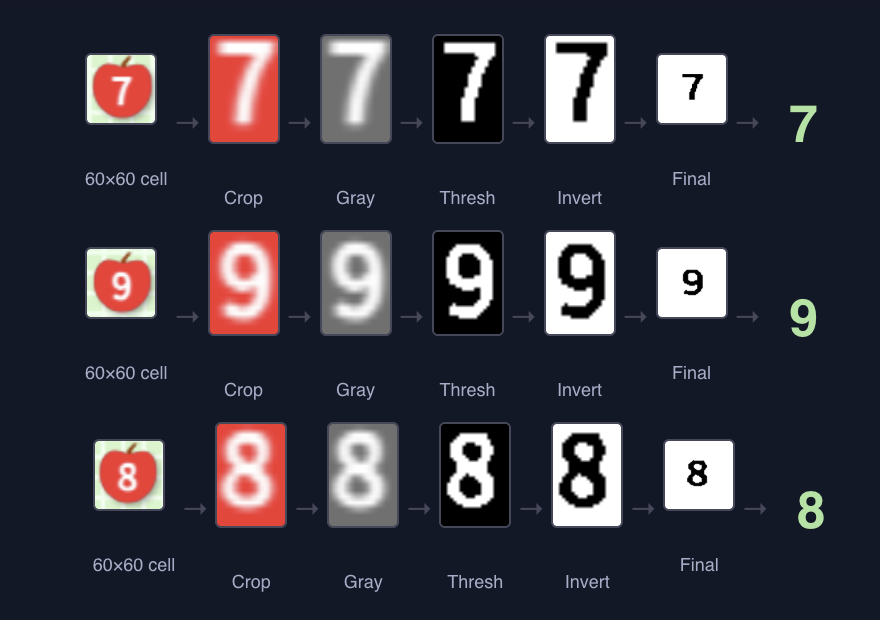
Each cell goes through crop, grayscale, threshold, inversion, and padding before OCR.
Verification
Every Apple Game board has a known constraint: the sum of all 170 digits must be divisible by 10.
This acts as a natural checksum. If OCR misreads a single digit, the sum will usually fail this condition - a corrupted board has only about a 1 in 10 chance of passing by coincidence. All 500 extracted boards passed this check.
The checksum is not perfect, though. If multiple errors happen to cancel each other out (e.g. one digit read too high, another too low by the same amount mod 10), the sum could still pass. So we also verified manually. We selected 25 boards at random (5% of the dataset) and compared all 4,250 digits against the original screenshots. Zero mismatches.
By the Rule of Three, with 0 errors observed in 25 boards, the 95% confidence upper bound on the board-level error rate is:
The checksum and manual checks are somewhat complementary - the checksum catches most single-error cases, while manual verification catches the rest including cancellation cases. Together, they give us reasonable confidence that the pipeline did not introduce systematic errors, Strictly speaking, we would first need to prove that the two verification methods are independent, but assuming independence, the combined probability of undetected error is 1.2%.
The pipeline was also designed conservatively: when preprocessing produces ambiguous results, it rejects the input rather than guessing. Across all 500 boards, no extraction failures or mismatches were observed.
For the full methodology and data, see our full board generation study.
All posts